Claude Code
Use Claude Code (CLI) to connect a Claude subscription to iolys. The managed CLI handles Claude authentication and conversation state; iolys supplies the Visual Studio interface and development tools. For an Anthropic API key, use the separate Anthropic API connection.
Set up Claude Code
- Open Manage Models, select Add Provider, and choose Claude Code (CLI).
- Install the CLI using the provider's version controls.
- Complete browser sign-in with the Claude account you intend to use when prompted. If the provider is disconnected, select Connect to open sign-in.
- Wait for the model catalog, then select a Claude Code model in the conversation picker.
- Choose the available reasoning effort, tools, and permissions, then send a message.
The managed connection requires Claude account authentication. A separate personal CLI login or Anthropic Console API login does not establish this connection. Subscription eligibility and model access depend on your Claude account.
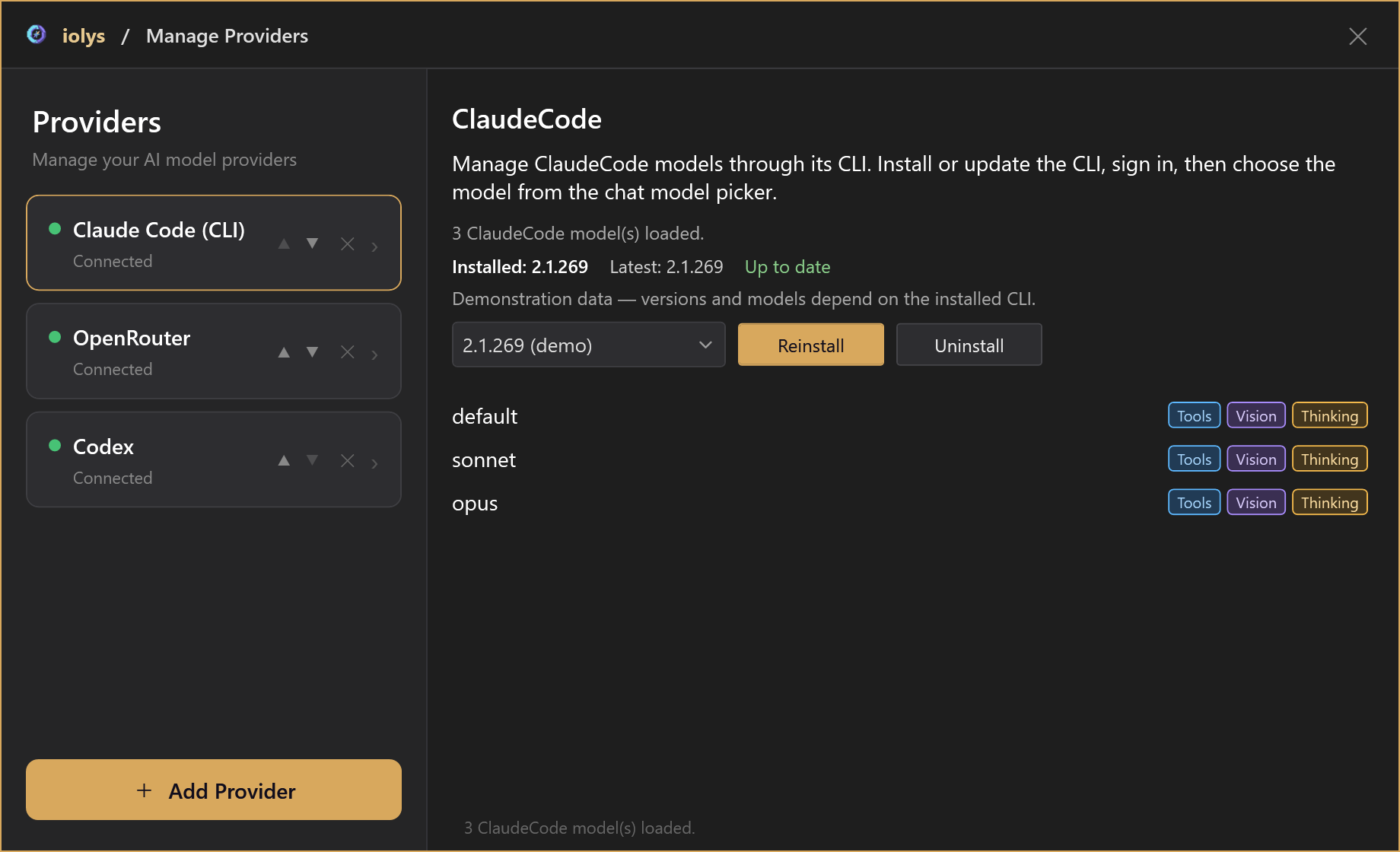
Illustrative model catalog.
Work with Claude
Responses, reported thinking, and tool activity stream into Chat. Returning to a saved conversation resumes its Claude session when that session is available. Changing the model or effort keeps the session.
Use the model picker for effort choices advertised by the CLI. A Thinking badge does not guarantee a visible thinking block on every response.
Attach PNG, JPEG, GIF, or WebP images up to 5 MiB per attachment. An unreadable, unsupported, missing, or oversized attachment blocks the message before it is sent. The provider can apply additional restrictions.
Tools and skills
Claude Code uses shared iolys workspace tools and configured MCP tools. Web Search and Fetch URL are native Claude tools and can each be disabled under Model Tools. Other native Claude tools are outside this integration's allowlist; file and shell operations use iolys tools and permissions.
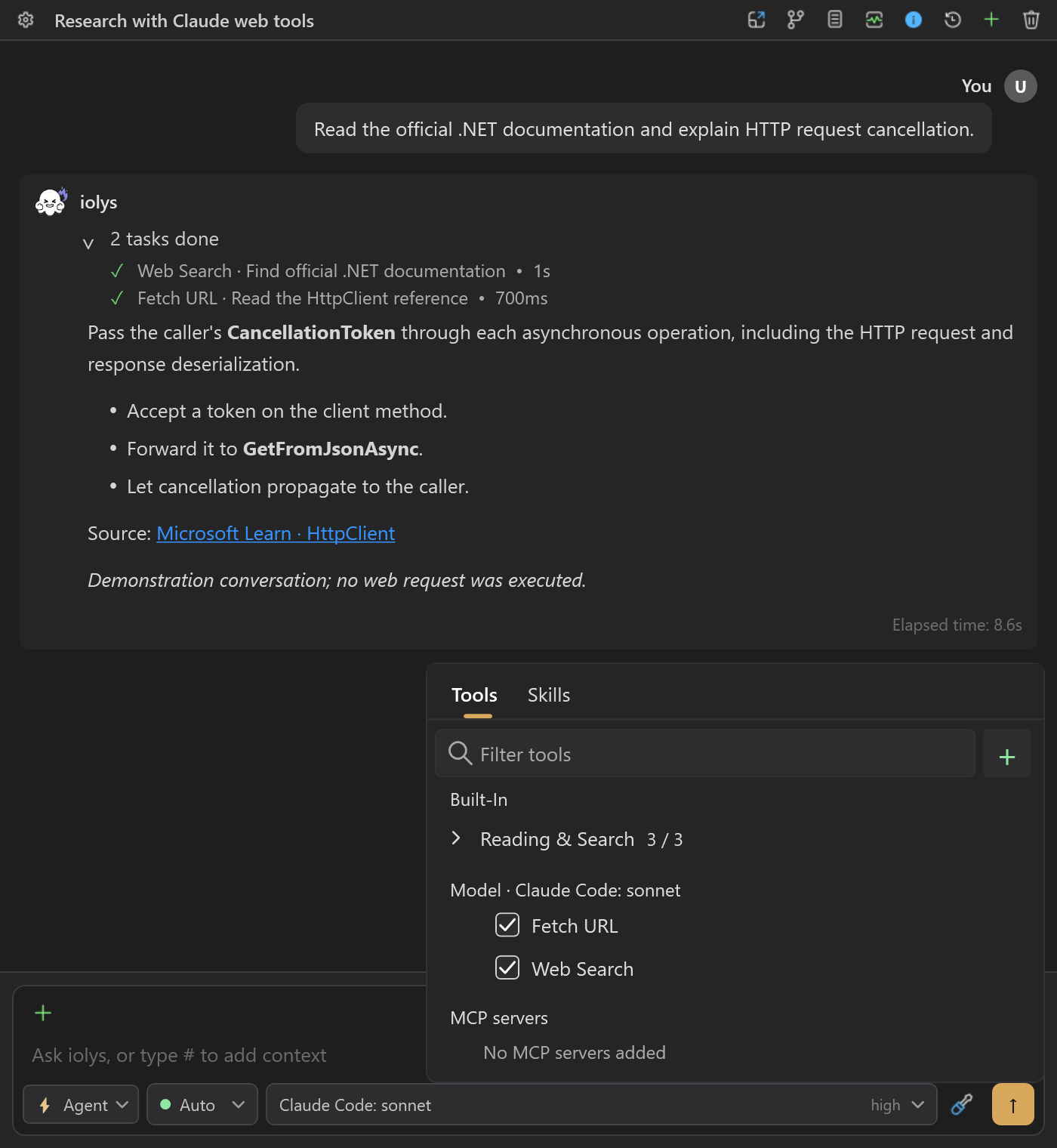
Enable Claude's web tools individually. The conversation and completed calls are demonstration data.
Shared project skills are supported. This provider also discovers project .claude/skills directories. Loading a skill does not enable Claude-specific hooks, shell interpolation, or native skill permission overrides. The shared iolys permission rules still apply.
Usage and maintenance
Open Usage for reported subscription quota windows, percentages, reset times, and additional model limits when available. iolys does not show a Claude Code per-turn dollar charge. Context usage is an estimate based on the most recent response, including reported cache tokens.
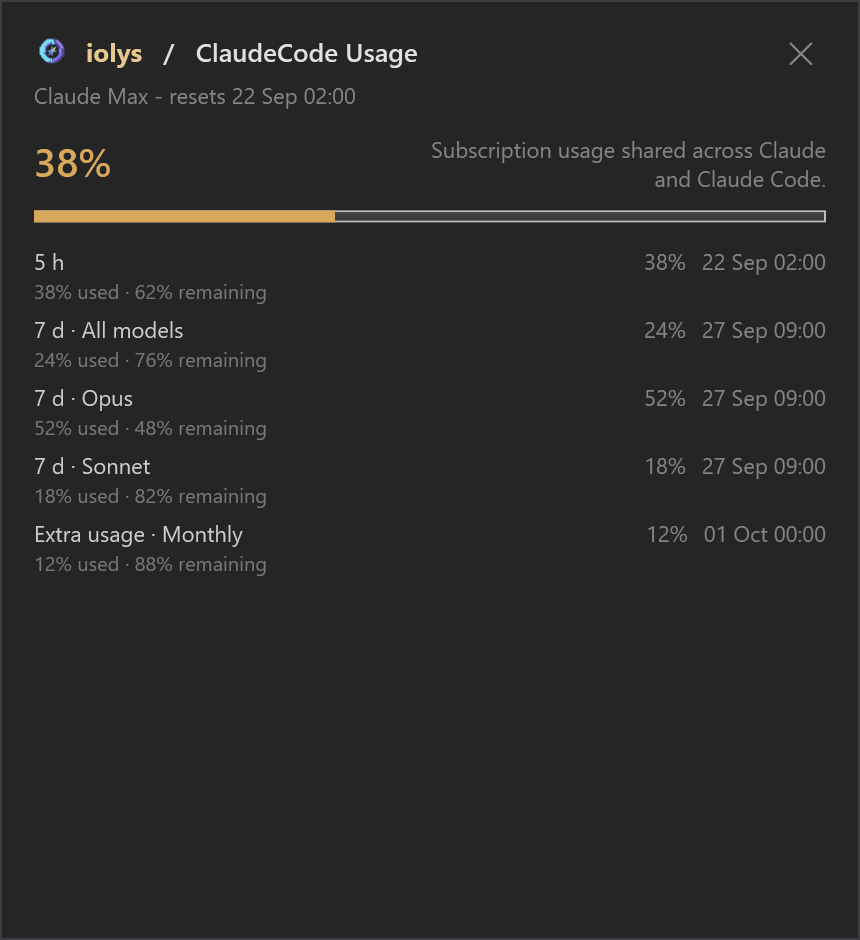
Compare quota windows and their resets. Plan details and percentages shown here are illustrative.
Use the provider panel to update, reinstall, or switch to a listed CLI version. Uninstall removes the managed authentication and Claude session files. A remaining iolys transcript does not recreate deleted Claude context. Disconnecting is a separate action and does not uninstall the CLI.
Troubleshooting
| Problem | Action |
|---|---|
| A personal Claude installation works, but iolys does not connect | Install and sign in through the iolys provider panel. |
| No models appear | Check sign-in, reconnect, and verify the managed CLI version. |
| Usage is unavailable | Check account authentication and update the managed CLI; usage depends on CLI support. |
| An image message fails | Check every attachment's format, readability, and 5 MiB limit. |
| A resumed session is missing | Follow the recovery prompt or start a new task with the context it needs. |
Continue with your first task or usage and context.